Categories
OpenStreetMap Orienteering

OOM Live-Updating

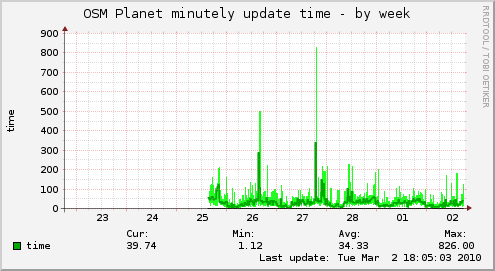
OpenOrienteeringMap now updates in near-real-time from the OpenOrienteeringMap database. It does what’s called “minutely” updates, although the actual time-lag from updating something in OpenStreetMap (say, using Potlatch), to it appearing in OpenOrienteeringMap, is typically around five minutes – occasionally the delay may be up to 15 minutes, or the update doesn’t appear at all if something wrong happens. This is, however, a vast improvement on the per-month updating I was doing before – that process took a couple of days to run, this only takes a few seconds each minute.

Note if you are viewing OOM in your browser, your browser will probably cache the tiles, including ones which have since been updated, so you will want to do a “super-refresh” of the page (Control+Shift+R) or reopen your web browser, if you’ve made changes and want to see them reflected. Creating PDF maps always uses the database so doesn’t suffer from this caching issue.

A huge amount of adding and updating is going on around the world in OpenStreetMap – the project is growing by around 5% a week – so it’s good to be able to take advantage of people’s efforts on a timely basis.
Categories
OpenStreetMap Orienteering

OOM Map Builder

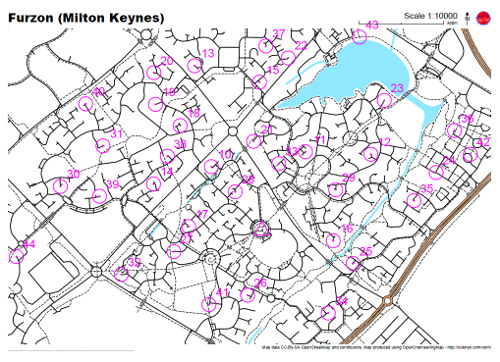
OpenOrienteeringMap now has a map builder, that will create a PDF map of any area, optionally with score-course orienteering controls on it, for you to print out and run on. You choose the scale, orientation and style – street-O, pseud-O or a special street-O without railway lines. Adornments such as a title, north arrow, logo and attribution are added.

To use it, click on the “Create a Map” link. The builder (which is written in Javascript) doesn’t exactly match the final map 100% as it is just building up a URL that gets sent to another service, powered by Python, Mapnik and Cairo which actually creates the PDF map for printing – the latter is a high-quality vector map so should look great when printed out – no jaggies, except for point-features as Mapnik trunk doesn’t (yet) support SVG icons.

Tip: The URL used to create the map is reproduced in tiny-text on the bottom left of the map – it will look like a small black line until you zoom in to 1600% or so. Copy this text and add it to the end of “http://tiler1.censusprofiler.org/pdf?” to reproduce the map. You can tweak the size (in metres) of the PDF sheet, to accommodate unusual sheet sizes, and also change the title and control positions here rather than having to recreate the whole map in the builder.

I’m going to be documenting how the PDF map is produced, on my research blog, in the next few weeks.

Categories
Leisure Munros

A Day in the Mountains

One day last February, I stepped out of work and onto a sleeper train up to the Scottish Highlands with a friend, did a day’s hillwalking from Corrour, an outstandingly remote place, then got the evening train down and the sleeper back to London, rolling back into the office at an unusually early (for me) hour.

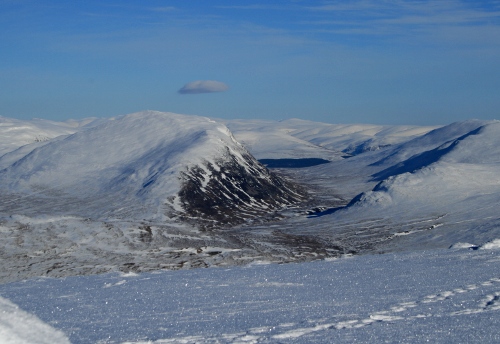
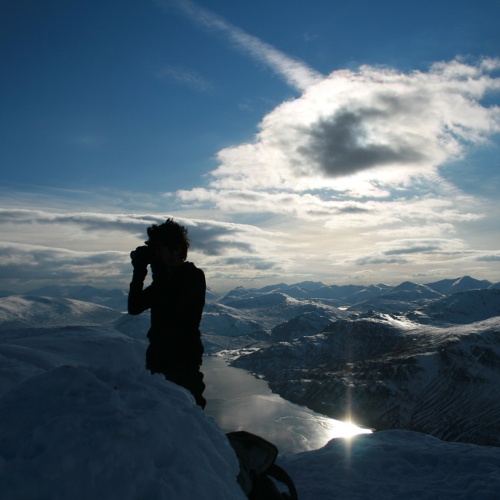
Last month I did the same thing again, this time with Dan and James. This time we got really lucky with the weather, so I decided on an ambitious (for winter) trek over two Munros to the south of Tulloch. We had just six hours between the morning train arriving and the evening train leaving, so we kept up a good pace. The snow depth wasn’t as bad as expected, with a 10-15cm layer of hoar frost sitting on top of some well-packed snow. Towards the end of the day we saw a front creeping towards us, that was to give a very heavy snowfall and avalanches in the area the following day.

Finding a good, straight path, we took a direct route up the ever-steepening slopes to the first summit (very boggy and nasty in summer apparently), then a pleasant and fast ridge-walk to the second Munro (again rough in summer) and finally a steep descent back down to the Narnia-like forest – the track being overgrown with trees bent double under the weight of the snow – and back to the station.

The area was a bit sparse on OpenStreetMap but I’ve gone back over the area and traced in the details, with the help of my GPS log, Landsat imagery and Scottish Popular Edition mapping that is now available in Potlatch (more on that soon).

A grand day out.

Route – for the full 3D experience you need the Google Earth browser plugin.